

PHONE ACCESSORIES, MADE PERSONAL
Phone Case Vending and Custom Printing Project Options
Choose ready-made phone-case vending or a separately specified printing configuration. Define the blanks, artwork, consumables and end-to-end acceptance checks for the selected route.
For operators assessing equipment, site requirements and local support.
Share your machine configuration and operating requirements with our team.
Explore the details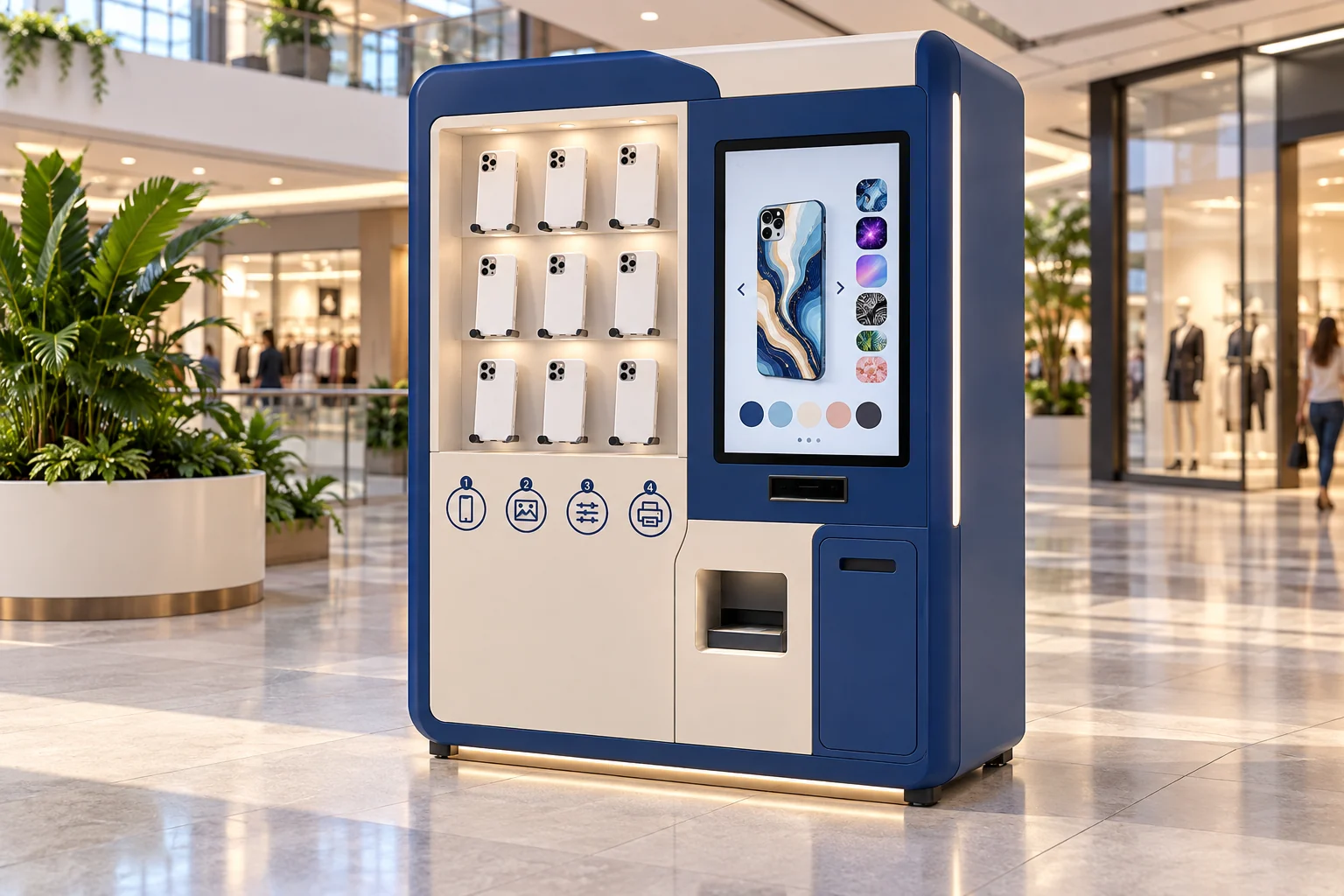
- Ready-made or printed
- Device and blank matching
- Artwork workflow review
FROM IDEA TO CONFIGURATION
Turn a case choice into a retail experience.
- Choose the retail route
- Validate cases and artwork
- Test print-to-pickup performance
POSSIBLE SETTINGS
Shopping centres
Mobile accessory retailers
Travel and event venues
01
Ready-Made Vending or Print-on-Demand
Choose between vending ready-made phone cases and producing a personalised case after the customer places an order. Ready-made vending relies on stocked products and their delivery mechanism. On-site printing adds blank selection, artwork processing, production and completion checks. They are separate equipment routes within this procurement category. On-site printing capability is confirmed in the demonstration for that printing route.
Ready-Made Phone Case Vending vs Custom Printing — Compare ready-made phone case vending and on-site printing by product samples, artwork workflow, replenishment and software requirements.
Project review sequence
02
Supported Models, Blanks & Inventory
List the phone models, case variants and sale packaging required at launch. For ready-made vending, describe the stocked unit and replenishment plan. For printing, identify the blank case, material and model reference that the production system would need to select. Ask who maintains the supported-model list and how discontinued or unavailable cases are removed from the customer selection. The supported-model list is the verified list of blanks, inventory and software in the proposed configuration.
Phone Case Machine Blank & Model Compatibility — Verify phone case blanks, fixtures, phone models and print software together, then plan replacement supplies and catalogue changes.
03
Artwork Upload & Printing Workflow
For a printing route, map the sequence from artwork submission to preview, customer confirmation, processing, printing and collection. Ask which steps are supported by the proposed system and which require an operator. Include file rejection, incorrect model selection and an interrupted job in the demonstration plan. Do not send confidential designs or account credentials in an initial WhatsApp message. The proposed machine's file-handling and any finishing process require their own evidence.
Artwork to collection
04
Consumables, Throughput & Serviceability
Measure an end-to-end operating cycle rather than relying on the speed of one printing step. Record successful jobs, rejected results, replenishment interruptions and operator interventions during a representative test. The result should state the case material, artwork conditions and configuration used. Ask for the consumable list, replacement procedures and local maintenance requirements. Measure throughput and waste with the selected blanks, artwork and consumables during factory acceptance; use those operating conditions when planning the rollout.
05
Configuration vs New Development
Separate documented standard options from cabinet changes, software integration and new development. A request for another case type or a different artwork workflow may affect more than the outer cabinet. We identify each requirement, the standard configuration, sample checks and any separately agreed development work.
06
Submit Case Samples and Project Requirements
Submit the country, site, expected quantity and the ready-made or printing route. Include the phone-model list, case samples available for testing and any relevant retail or distribution experience. Equipment supply and printing capability are confirmed from the case samples, artwork examples and machine images in the next review. Agree which case samples, artwork examples or machine images are needed for the next review.
Frequently asked questions
Does ready-made phone-case vending include on-site printing?
Ready-made vending and on-site printing are separate routes. Ready-made vending uses stocked products and their delivery mechanism. Printing adds blank selection, artwork processing, production and collection, and that capability is confirmed in the demonstration for the printing route. The blank-compatibility page keeps finished-case sales and printing onto a blank separate, and confirms printing compatibility from the case reference, dimensions, material and intended print area. An image of a printed case is not proof of blank compatibility, processing quality or a complete customer workflow.
Does one printing-step time represent throughput?
Measure the end-to-end operating cycle rather than the speed of one printing step. Record successful jobs, rejected results, replenishment interruptions and operator interventions, and state the case material, artwork conditions and configuration used. One successful sample stays with the blank, fixture, print process and software version demonstrated together, and is not extended to other materials, finishes, phone models or consumable combinations. Consecutive jobs belong in that same observation. Capacity stays blank until that record exists.
Does a custom case or artwork request mean development is accepted?
A request for another case type or a different artwork workflow is identified separately from documented standard options. Cabinet changes, software integration and new development are their own scope. The printing comparison keeps the printing route subject to model-specific verification and a separate scope, and the equipment discussion accepts neither development work nor a delivery date.