

How Much Does a Photo Booth Cost to Buy: Kiosk BOM and Profit Guide
Evaluate how much does a photo booth cost to buy and how to choose the best photo booth to buy for business by reviewing the commercial kiosk hardware stack, dye-sublimation media cost per print, venue lease or revenue-share structure, and monthly break-even calculation before requesting a project quotation.
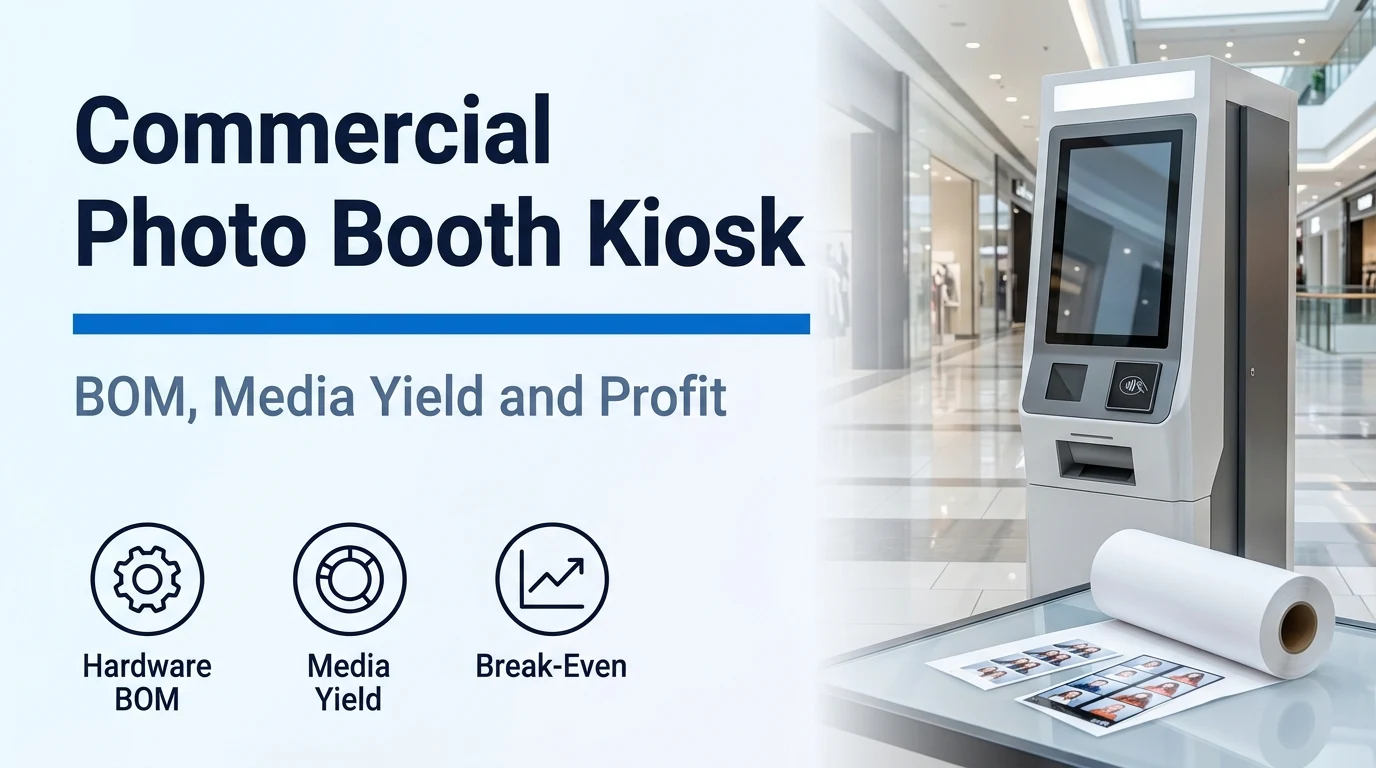
Commercial photo booth kiosk hardware BOM and lifecycle scope
When evaluating how much does a photo booth cost to buy or comparing proposals for the best photo booth to buy for business, separate the fixed self-service cabinet hardware bill of materials from temporary event equipment and recurring site operating expenses.
The fixed self-service photo booth category covers a fixed self-service photo and printing booth at an operating site, separate from a temporary event rental, a rotating event-camera platform or a phone application.
Installation, payment onboarding and daily operating support should be separate, explicit responsibilities in the requested project scope.
Remote communication is the agreed support channel for observations and does not establish on-site labour; software subscriptions, remote access, consumables and scheduled maintenance may continue independently of component warranty.
According to the Kiosk Industry Association, kiosk hardware encompasses the enclosure, touchscreen, compute engine, peripheral devices, network interfaces, and environmental controls, and operators often budget for a 5-7 year lifecycle for kiosks.
The Kiosk Industry Association states that public-facing kiosks almost universally adopt projected capacitive touchscreens for accuracy and durability, rated for high durability of 500K+ touches without failure.
The Kiosk Industry Association distinguishes Industrial Panel PCs (all-in-one compute + display), Edge Media Players / Thin Clients, and Mini-PCs / Small Form Factor computers, noting that modular hardware (separate PC + touchscreen + peripherals) can offer repairability and upgrade paths.
For kiosk AI compute engines, the Kiosk Industry Association notes that an Intel i3 has a TOPS rating of less than 1, a TOPS rating of 10 is today's entry level, and many compute engines are available at close to 100 TOPS.
The Kiosk Industry Association warns that commercial-grade peripherals built for clerk use often fail fast when deployed 24/7 in public environments, whereas kiosk-grade peripherals ensure uptime and reduce service costs.
Modern kiosk connectivity and power infrastructure designs plan for Ethernet or Wi-Fi with secure VLAN isolation, Power over Ethernet (PoE) for simplified installations, and a battery backup / UPS where power can be intermittent.
The Kiosk Industry Association identifies UL 2361 and UL 62368-1 as electrical safety references for physical kiosk hardware safety, PCI DSS and EMV for transaction security, and ADA, ABA, Section 508, WCAG, and EN 301 549 for physical and digital accessibility.
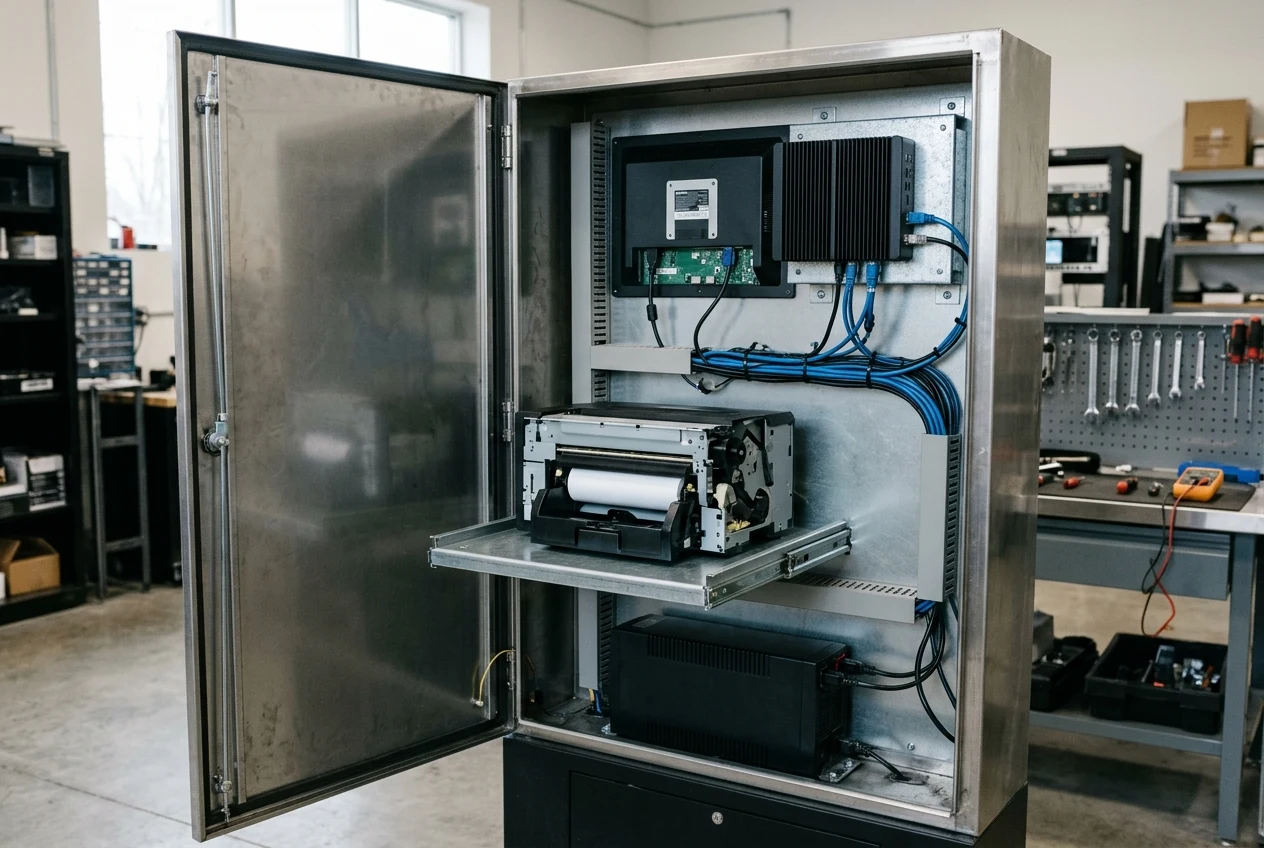
Explore fixed self-service photo booth vending machines — Review capture workflows, print formats, service access, and deployment brief inputs for fixed booths.
Compare fixed photo booth purchases against event rentals — Separate permanent venue installation and supply refill duties from attended event rental agreements.
Unattended payment security and ADA mall placement clearances
Verify payment terminal security listings and physical floor, alcove, and control access clearances with the venue landlord before locking the cabinet footprint and exterior bezel elevations.
In site survey planning, the plan separates the equipment footprint, the customer waiting and collection area, and the clearance to open a door, panel or replenishment point, and an unknown measurement stays unresolved rather than becoming zero.
The PCI PIN Transaction Security (PTS) Point of Interaction (POI) Standard provides security requirements for devices protecting cardholder PINs and account data, supporting PIN Entry Devices (PEDs), Unattended Payment Terminals (UPT), Non-PIN acceptance devices (Non-PEDs), Encrypting PIN pads (EPPs), Secure Card Readers (SCRs), and Secure Card Reader-PINs (SCRPs).
The PCI Security Standards Council encourages merchants and their acquirers to use the PCI SSC listing in selecting PCI-Approved PTS POI Devices for their payment environments, while compliance programs for all PCI SSC standards are managed by the payment brands.
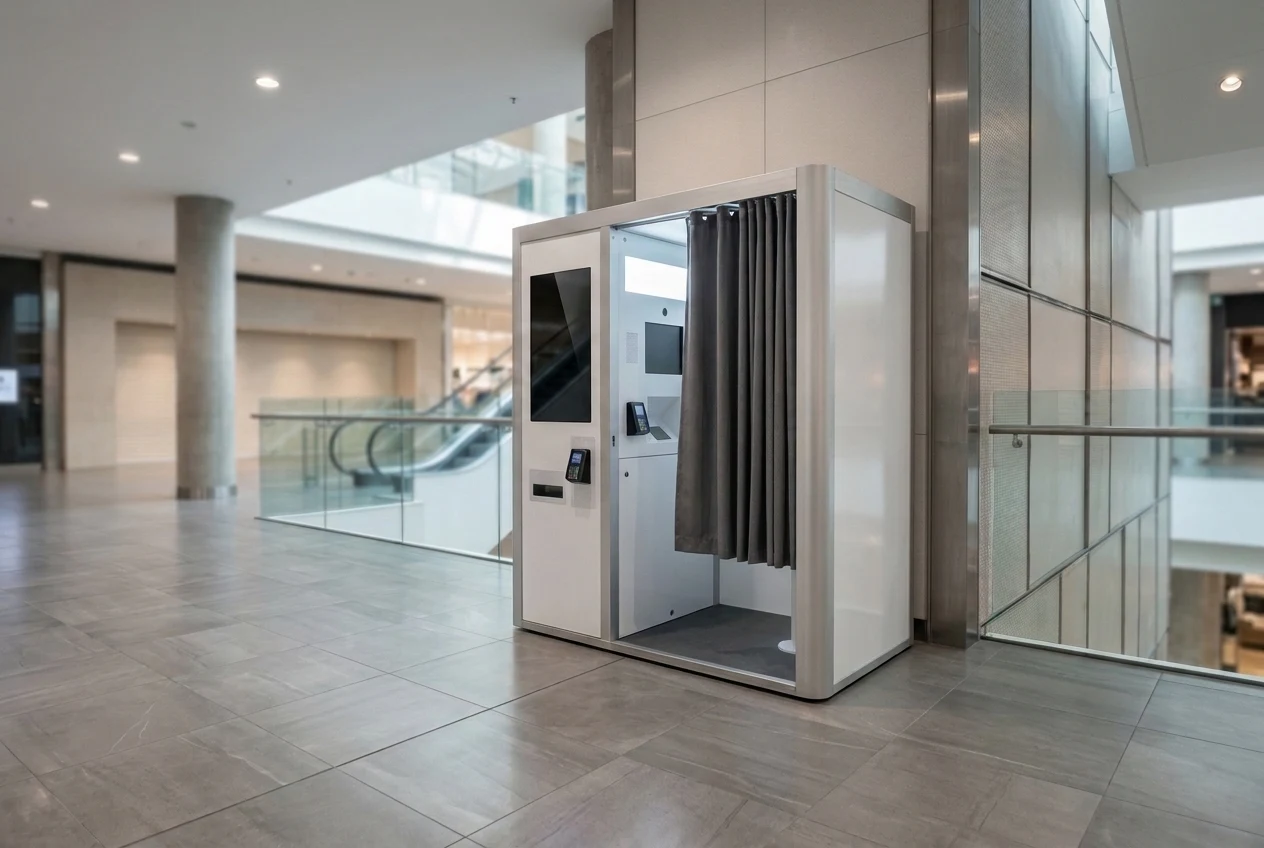
Open the self-service machine site survey checklist — Record footprint, customer waiting space, door-swing clearance, power, and network measurements for the venue.
Dye-sublimation printer selection and per-sheet media cost
Compare commercial dye-sublimation printer throughput, roll capacity, physical dimensions, and matched media part numbers before projecting per-session gross margin or replenishment visit intervals.
A quoted print capacity should be tied to the actual output format and consumable configuration rather than treated as a universal number of sessions.
Before comparing the cost per successful output, the buyer must bind the printer, consumable part number, software layout and output format, because similar-looking paper is not interchangeable.
Consumable planning separates the consumable pack price, the stated usable quantity and trial observations, and does not present a theoretical pack yield as achieved customer sales.
A dye-sublimation photo printer uses a thermal print head to transfer yellow, magenta and cyan dyes from a dye ribbon onto photo media in separate passes and applies a protective finishing layer so the finished photo is ready to handle immediately with no drying time.
Professional dye-sublimation photo printers do not use liquid ink cartridges or traditional inkjet photo paper; they require compatible dye-sublimation paper and ribbon matched media sets designed for specific printer models and print formats.
Because professional dye-sublimation media provides a predetermined number of prints, DNP states that approximate consumable cost per print is calculated as: Media cost ÷ number of prints = approximate media cost per print.
DNP lists common photo booth print products as 2" × 6" photo strips, 4" × 6" photographs, square prints, 5" × 7" photographs, and 6" × 8" photographs, noting that available formats depend on the printer, media, software and workflow being used.
In the DNP Event Photo Printing Media Calculator, the Safety Reserve field provides options of 0%, 10%, 15% Recommended, 20%, and 25% extra media to account for higher-than-expected demand, test prints or reprints.
In the DNP DP-DS620 Series and DP-DS820 Series User Guide, both series use thermal dye sublimation transfer with a resolution of 11.8 dot/mm (300 dpi) in the width direction, 11.8 dot/mm (300 dpi) in high-speed paper feed, and 23.6 dot/mm (600 dpi) in high-quality paper feed.
In the DNP DP-DS620 / DP-DS820 User Guide, the DP-DS620 measures 275 mm (W) × 366 mm (D) × 170 mm (H) and weighs approx. 12.0 kg (printer unit only), the DP-DS820 measures 322 mm (W) × 366 mm (D) × 170 mm (H) and weighs approx. 14.0 kg (printer unit only), and both connect via a USB2.0 (max 480 Mbps) TYPE B connector.
In the DNP DP-DS620 / DP-DS820 User Guide, both printers have a rated voltage of AC 100 V - 240 V 50 Hz / 60 Hz, a rated current of 100 V 3.9 A and 240 V 1.6 A, and an operating environment of 5 °C to 35 °C in natural convection conditions with 35 % to 80 % humidity (no condensation).
In the DNP DP-DS620 / DP-DS820 User Guide, the radio equipment operates in the 13.56 MHz±7 kHz frequency band at a maximum radio-frequency power of 40.6 dBuV/m at 3 m, complies with Directive 2014/53/EU, and is tested as a Class A digital device pursuant to part 15 of the FCC Rules for commercial environments.
In the DNP DP-DS620 / DP-DS820 User Guide cleaning section, if indentations or lines appear in regular intervals (approximately 50 mm) and in the same place on printouts, or the white back of the printout is dirty, operators clean the platen roller with gauze moistened with ethyl alcohol; for persistent thermal print head stains, the recommended polishing sheet is Mipox polishing sheet GC10000-75 FEY-A.
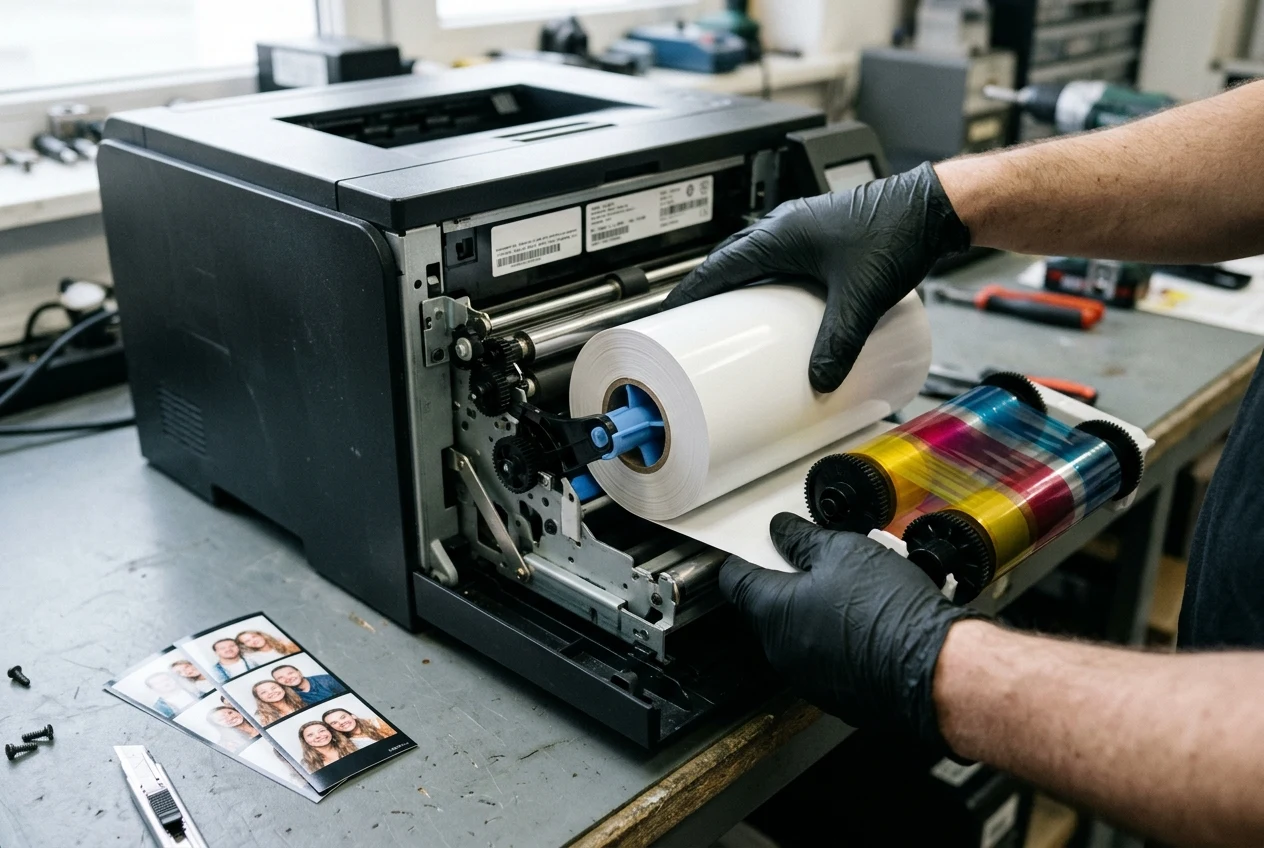
Review photo booth printing and consumable planning — Check consumable part-number binding, trial yield observations, and failed-print recovery procedures.
Venue lease vs. revenue share, break-even volume, and payback accounting
Model monthly break-even sessions and equipment recovery by keeping initial capital outlay separate from per-session consumable consumption and recurring venue rent or revenue-share deductions.
SBA defines the break-even point as the point at which total cost and total revenue are equal, meaning there is no loss or gain for the small business.
For a single product or service, SBA states the break-even point in units formula as: Break-even point (units) = fixed costs ÷ (sales price per unit – variable cost per unit).
SBA states the break-even point in sales dollars as fixed costs ÷ contribution margin, where Contribution margin = (sale price per unit – variable cost per unit) ÷ sale price per unit.
In SBA's break-even calculator, total fixed costs, variable costs, and unit or service sales are calculated on a monthly basis, and SBA suggests adding an extra 10% into a break-even analysis to cover unpredictable miscellaneous expenses.
Open the self-service machine operating cost calculator — Enter your equipment investment, session price, variable media cost, and fixed monthly venue charges to test break-even volume.
Review after-sales support and maintenance planning — Check how remote diagnostic communication, spare parts, software subscriptions, and local field labour are separated.
Prepare a commercial photo booth kiosk quotation brief
When requesting a written quotation for a commercial photo booth kiosk, specify the installation venue, target print formats, preferred dye-sublimation printer, payment terminal mounting arrangement, and local replenishment operator.
SelfServiceMachines (特拼科技 / Tepin Technology) provides equipment requirement discussions via WhatsApp at +86 153 3888 8949 and email at jacklau@SelfServiceMachines.com.
On submitted booth deployment briefs (country, site, quantity, photo output format, operating hours, and the consumables and fault owner), SelfServiceMachines replies within 24 hours.
Contact SelfServiceMachines with your project brief — Send your venue layout, target print sizes, payment country, and operating schedule to start a configuration review.
Sources
- SelfServiceMachines.com — Fixed Self-Service Photo Booths with Printing Options
- SelfServiceMachines.com — Fixed Self-Service Photo Booth vs Event Rental
- SelfServiceMachines.com — Photo Booth Printing and Consumable Planning
- SelfServiceMachines.com — Self-Service Machine Operating Cost Calculator
- SelfServiceMachines.com — Self-Service Machine Site Survey Checklist
- SelfServiceMachines.com — After-Sales Support and Maintenance Planning
- SelfServiceMachines.com — Contact and Project Brief
- U.S. Small Business Administration — Plan Your Business: Calculate Startup Costs and Break-Even Point
- Kiosk Industry Association — Kiosk Hardware: The Foundation of Self-Service
- PCI Security Standards Council — PIN Transaction Security Point of Interaction
- U.S. Access Board — Guide to the ADA Standards: Clear Floor or Ground Space and Turning Space
- U.S. Access Board — Guide to the ADA Standards: Operable Parts
- DNP Photo Imaging — Frequently Asked Questions About Professional Photo Printing
- DNP Photo Imaging — Commercial Dye-Sublimation Photo Printer Specifications
- DNP Photo Imaging — High-Capacity Dye-Sublimation Photo Printer Specifications
- DNP Photo Imaging — Commercial Photo Printer Model Comparison
- DNP Photo Imaging — Large-Format Dye-Sublimation Photo Printer Specifications
- DNP Photo Imaging — Compact Dye-Sublimation Printer Specifications
- Dai Nippon Printing Co., Ltd. — Digital Photo Printer Series User Guide
- DNP Photo Imaging — Dye-Sublimation Print Media Overview
- DNP Photo Imaging — Event Photo Printing Media Calculator