

Self-Service Kiosk Price: Hardware BOM, NRE & Deployment Cost Breakdown
Compare self service kiosk price tiers, component bill of materials, custom engineering fees, accessibility rules and site installation expenses. Use this self service kiosk cost breakdown to scope displays, payment peripherals, factory acceptance checks and multi-unit procurement budgets.
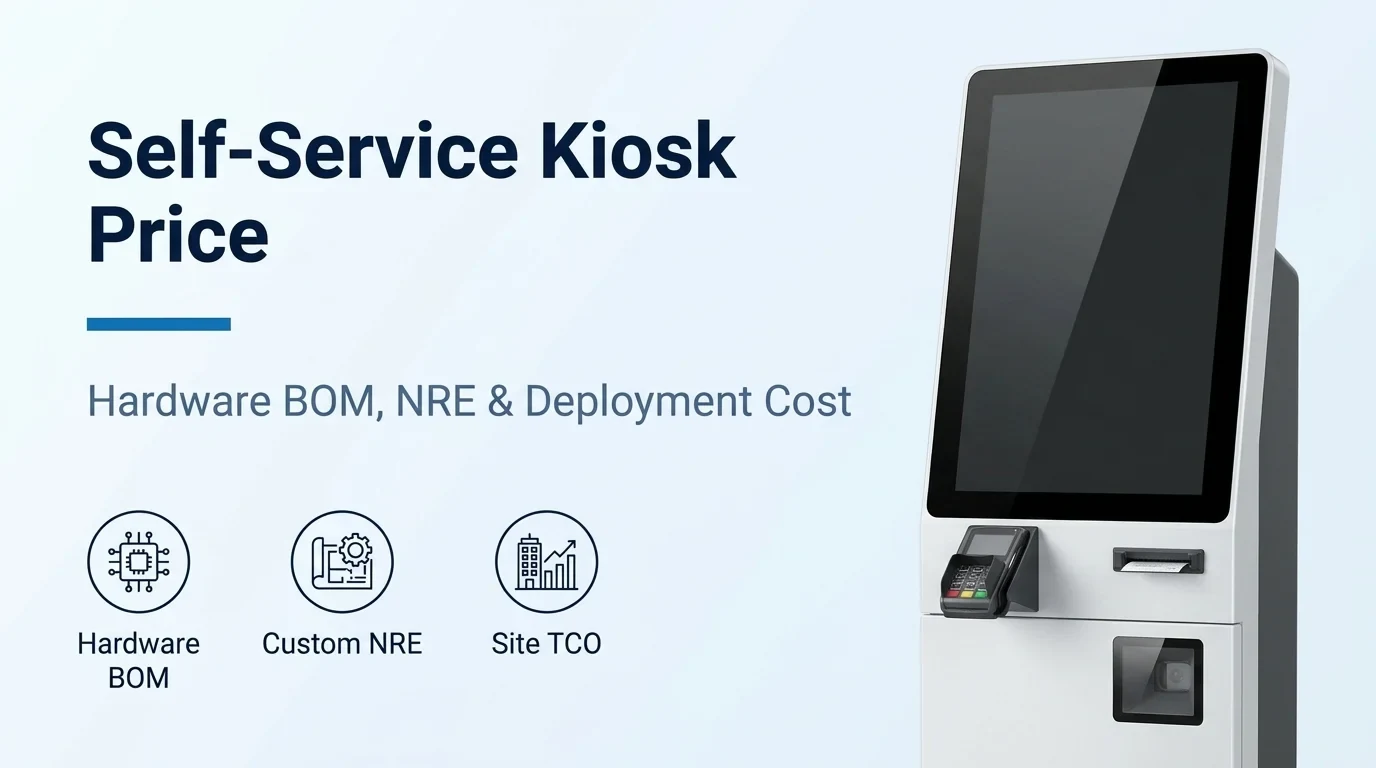
Self-service kiosk price tiers, NRE engineering budgets and rollout volume scaling
When evaluating self service kiosk price proposals and comparing self service kiosk cost across freestanding, wall-mounted, outdoor and automated retail formats, separate the baseline hardware bill of materials from non-recurring engineering fees, software licensing, installation and multi-year support.
According to the Kiosk Industry Association's Typical Kiosk Pricing (2026) table, typical unit hardware costs across five kiosk categories are: Tablet / Light Duty Kiosk ($500 – $2,000), Standard Self-Service Kiosk ($2,000 – $5,000), Advanced Transaction Kiosk ($5,000 – $10,000 with payment, scanner, printer, and ADA features), Custom Engineered Kiosk ($8,000 – $15,000+ NRE-based), and Cash Automation / Financial Kiosk ($10,000 – $25,000+ with cash acceptor, recycler, and secure safe).
According to the Kiosk Industry Association's Additional Cost Components table, often-overlooked kiosk budget lines include Non-Recurring Engineering (NRE) at $20,000 – $250,000+ (design, tooling, prototyping amortized over volume), Software Licensing at $10 – $100/month per unit (device management, kiosk lockdown, analytics), Payment Processing Setup at $0 – $500 per unit, Installation & Deployment at $200 – $1,000 per unit, and Field Service / Support at $200 – $500/year per unit.
According to the Kiosk Industry Association's Executive Cost Model, typical per-unit pricing by rollout scale is $3K–$8K per unit for a Pilot (10–50 units), $4K–$10K optimized for Mid-scale (100–500 units), and $5K–$12K with NRE amortized for Enterprise (1,000+ units), while at very large volumes of 10,000+ units vendors may partner with global contract manufacturers such as Flex and Sanmina or source component manufacturing in China.
According to the Kiosk Industry Association's Kiosk Price & Cost Guide, the three traditional primary hardware cost components of a kiosk are the enclosure, the display/touchscreen (ranging from 15" to 55", and once 22" formats appeared, more screens are 16:9), and the PC, while extended service and warranty figure at 30% over 3 years, and the typical kiosk lifecycle is 5-7 years before replacement.
According to the Kiosk Industry Association's Kiosk Price & Cost Guide, a ballpark price estimate for an indoor commercial kiosk from Olea Kiosks is between $2500 and $13K depending on the types and numbers of peripherals, and enclosure upgrades with intricate curves or rounded corners cost more because machines alone cannot form them without manual fabrication.
Explore custom self-service machine engineering and sourcing — Review custom cabinet architecture, dispenser mechanisms and project scoping steps before requesting a factory quotation.
Compare equipment price against total installed project cost — Separate one-time equipment, packing, transport and installation expenses from recurring site and transaction costs.
Enclosure fabrication, commercial touchscreens, compute layers and peripheral BOM
Component selection inside the cabinet drives both upfront hardware outlay and field service intervals across indoor and outdoor kiosk installations.
In competitor MetroClick's kiosk hardware cost breakdown, the physical enclosure typically represents 30–40% of total kiosk cost: powder-coated steel is the most common material while stainless steel costs 20–40% more for corrosion resistance, wall-mounted enclosures start around $500–$1,500, freestanding floor units run $2,000–$8,000, and outdoor-rated IP65 enclosures with HVAC systems and sunlight-readable screens add $3,000–$8,000 to the base cost.
In competitor MetroClick's kiosk hardware cost breakdown, a standard 22" commercial-grade touch screen display runs $800–$2,000 while larger 43"–55" displays cost $2,000–$5,000; indoor screens at 350–500 nits are standard whereas outdoor deployments need 1,000–2,500 nits, and common peripherals add $300–$800 for EMV chip + contactless payment terminals, $200–$600 for receipt/ticket printers, $150–$400 for barcode/QR scanners, $100–$500 for cameras, $200–$500 for RFID readers, and $50–$200 for speakers and microphones.
According to the Kiosk Industry Association review of US TDS Touch high-brightness fanless PCAP touchscreen display modules, the modules deliver 700-1500 NIT brightness across sizes from 10.1 inches to 32 inches, feature a flat IP65 waterproof and dustproof front panel with a 3MM tempered anti-glare cover plate of 7H hardness, and provide 75X75MM and 100X100MM rear mounting holes compatible with an OPS host and MINIBOX.
According to the Kiosk Industry Association's Kiosk Hardware Foundation guide, some costlier commercial hardware features deliver significantly higher value over a 5-7+ year lifecycle, where Mini-PCs / Small Form Factor computers provide flexible computing platforms with abundant I/O, industrial panel PCs reduce points of failure and streamline integration, modular hardware (separate PC, touchscreen, and peripherals) can offer repairability and upgrade paths, and deployments reference UL 2361 and UL 62368-1.
According to the Kiosk Industry Association's Custom Kiosk Manufacturers guide, substituting consumer-grade tablets in commercial kiosks introduces supply-chain and RMA risk: in a documented deployment of just over 1,000 kiosks, 80+ Microsoft Surface tablets failed final testing and burn-in, illustrating supply-chain and RMA risk versus industrial computing brands that provide dedicated RMA infrastructure across a multi-year deployment.
According to Frank Mayer's kiosk budgeting guide on Kiosk Marketplace, cash-handling components (bill acceptors, cash recyclers, and dispensers) are among the most underestimated kiosk cost drivers because, beyond the hardware price itself, they require more physical space inside the kiosk enclosure, leading to additional sheet metal and more intricate mechanical engineering; conversely, consolidating separate ticket and receipt printers into a single QR code ticket/receipt printer reduces hardware cost.
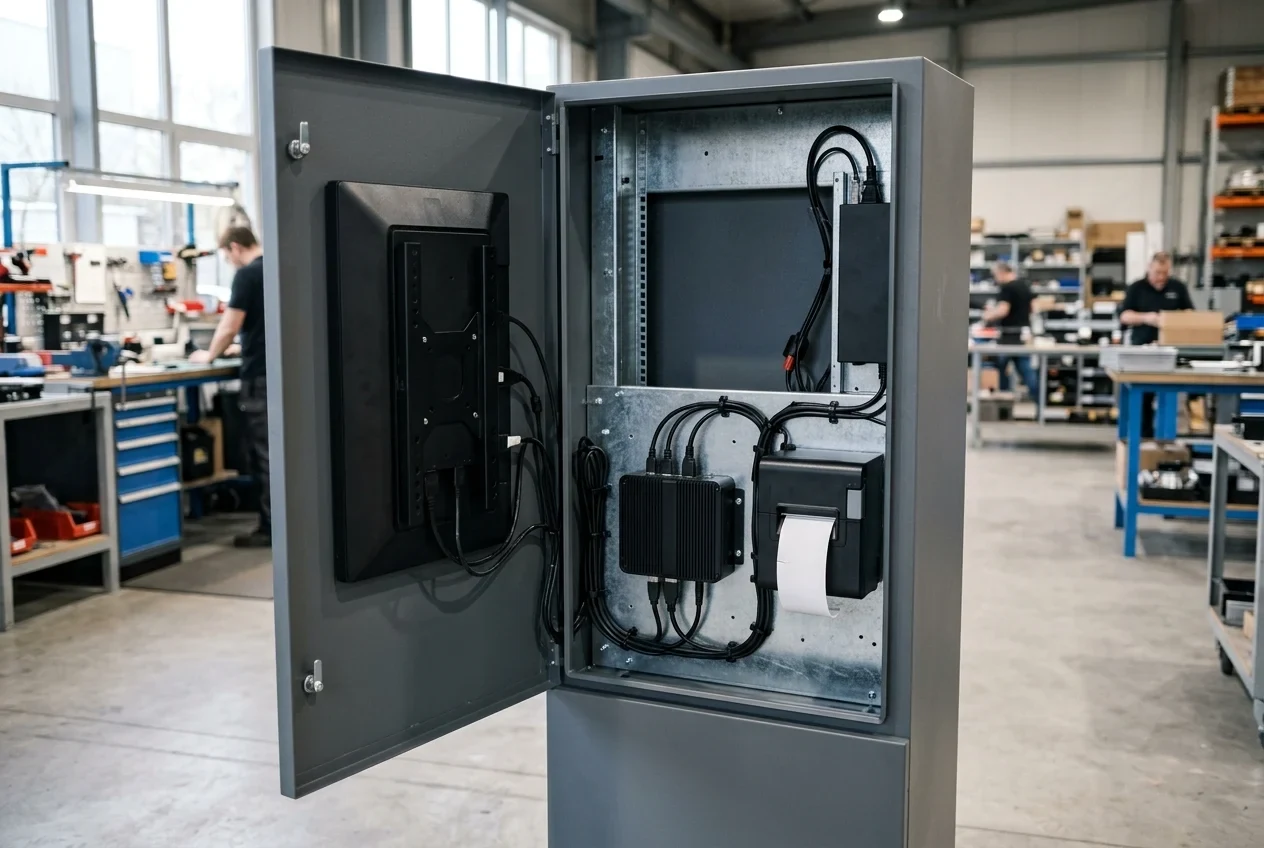
Review custom vending and self-service cabinet configuration — Define sale unit dimensions, peripheral bays, sample sign-off and cabinet acceptance criteria before fabrication.
Custom kiosk engineering schedules, OEM/ODM sourcing roles and acceptance sign-off
Direct factory sourcing and custom sheet-metal fabrication require clear separation between catalog options, physical enclosure modifications, software integration and new mechanical development.
The Standard Options & Custom Self-Service Projects page on SelfServiceMachines.com instructs buyers to write requirements by separating standard options, physical changes, system integration, and new development, noting that treating an existing touchscreen or interface as system compatibility misjudges the development scope.
On SelfServiceMachines.com's Standard Options & Custom Self-Service Projects page, a change to dimensions, compartments, or a mounting arrangement requires a defined drawing and a review of its effect on operation and service access, whereas compatibility with a particular business system is confirmed in the interface review for that network port, badge reader, or touchscreen.
On SelfServiceMachines.com's Standard Options & Custom Self-Service Projects page, submitting a custom brief starts a feasibility review rather than accepting development work or confirming delivery, and buyers should ask any proposal to identify deliverables, exclusions, responsibilities, ownership, ongoing support, and the treatment of changes to the agreed scope.
On SelfServiceMachines.com's Custom Vending Machine Configuration & Manufacturing page, buyers write changes relative to a standard configuration first and then define sample, cabinet, and software delivery separately, providing the dimensions, weight, and packaging of the sale units to be handled and matching the approved drawing to the finished unit in the acceptance report.
According to the Kiosk Industry Association's Custom Kiosk Manufacturers guide, NRE should be quoted separately from per-unit hardware pricing and may be amortized into the first production run, credited back after a volume threshold, or retained as an upfront development cost, and buyers should clarify ownership and delivery format for CAD models, drawings, BOMs, tooling, and rights to move production to another manufacturer.
Review OEM and ODM self-service machine manufacturing workflows — Compare catalog customization, custom sheet-metal tooling, sample sign-off and pre-shipment inspection stages.
Download the machine factory acceptance test checklist — Verify enclosure finish, harness labeling, peripheral cycling and packaging protection prior to balance payment.
Payment terminal security, ADA reach geometry and European accessibility rules
Payment card hardware validation, modular terminal mounting plates and physical reach geometry must be engineered into the enclosure before sheet metal is cut.
According to the PCI Security Standards Council notice on Validated Products and Solutions, PCI SSC maintains separate security standards and listings for PCI DSS, PIN Transaction Security (PTS) devices, Contactless Payments on COTS (CPoC), Software-based PIN Entry on COTS (SPoC), and Point-to-Point Encryption (P2PE), and only the specific version of a given product or solution identified on a PCI SSC List has been evaluated and determined to comply with the applicable standard.
According to the Kiosk Industry Association guide on PIN on Glass for Kiosks, PCI SSC states that not every touchscreen can be a PIN pad just because you can draw a keypad on it; the guide separately notes that a Windows PC with a 27" touch monitor and an on-screen PIN pad is not good, and that you can't safely assume a generic 22" or 32" touch monitor in an unattended kiosk is automatically allowed as a PIN capture surface, whereas PIN on Glass requires a certified PIN-on-Glass payment terminal (PTS-approved POI) bolted onto the kiosk or a validated SoftPOS/MPoC device.
According to the Kiosk Industry Association guide on PIN on Glass for Kiosks, kiosk hardware architects should separate the UI from payment by treating the payment function as a plug-in module using mounting plates and subassemblies, planning for USB, serial, and TCP/IP communication protocols and AC/DC power, because there is no silver bullet payment device that works in every region with every processor.
On SelfServiceMachines.com's Payment Integration Verification Matrix, each country, currency, acquiring provider, merchant account arrangement, terminal model, machine controller, and software version is recorded as a separate test record, and a payment success screen alone is not a completed machine transaction.
According to the Kiosk Industry Association analysis of the U.S. Access Board self-service transaction machine (SSTM) rulemaking, the Board issued an ANPRM on September 21, 2022, the draft NPRM was withdrawn from OMB in January 2025, and in healthcare HHS finalized its Section 504 rule (45 CFR 84.83) on May 9, 2024 (effective July 8, 2024), while The Industry Group recommends treating the binding DOT airport kiosk rule at 14 CFR 382.57(c) as the default technical specification for fixed or built-in self-service kiosks.
According to the Kiosk Industry Association analysis of kiosk accessibility rules, the DOT airport kiosk rule preserves quantified audio volume targets requiring speaker output amplifiable to at least 65 dB SPL with at least 20 dB above ambient user-selectable where ambient exceeds 45 dB SPL, and the analysis's interim ADA/508/DOT-aligned checklist lists at least 3:1 contrast with 3/16 in minimum cap height visible from 40 in above the center of the clear floor space.
According to the Kiosk Industry Association analysis of European and international kiosk accessibility rules, the EU has regulated self-service terminals under the European Accessibility Act (EAA) since June 28, 2025 (with Article 32 giving services until 28 June 2030 and grandfathering existing terminals up to max 20 years), and manufacturers selling into Europe build to EN 301 549 v4.1.0 (clauses 5.1 closed functionality, 6.4 alternatives to voice-based services, 8.3 stationary ICT reach, 8.4 operable parts, and 8.5 tactile indication of speech mode).
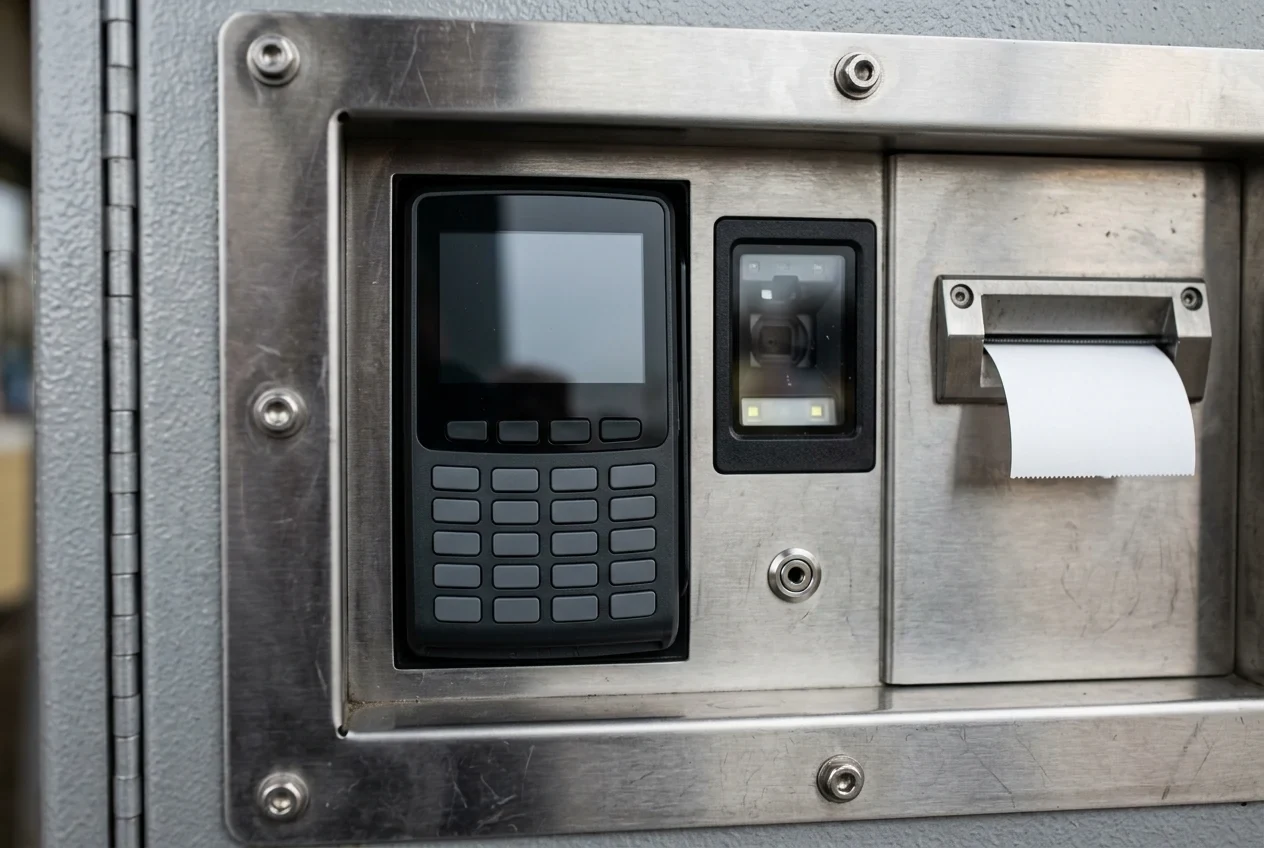
Compare self-service machine payment options and country compatibility — Evaluate card readers, banknote validators, coin recyclers and local acquiring prerequisites for unattended terminals.
Open the payment integration verification matrix — Document terminal models, host controller interfaces, settlement currencies and transaction completion checks.
Site installation clearance, recurring operating expenses, downtime TCO and ROI payback
Total cost of ownership models must account for site preparation clearances, recurring software and connectivity fees, downtime exposure under service-level agreements and realistic payback arithmetic.
On SelfServiceMachines.com's Equipment Cost vs Total Installed Project Cost guide, buyers compare one-time equipment purchases and local installation alongside fixed costs (which continue while the machine is idle) and per-use costs (tied to a completed sale or session) using the same currency, unit, and period, while keeping unknown costs unresolved instead of entering zero.
On SelfServiceMachines.com's Site Preparation & Installation Responsibilities guide, a cabinet footprint alone omits delivery, customer collection, and open-panel service space, and receiving a shipment is distinct from completing installation or accepting operating requirements.
In competitor MetroClick's software and operating cost breakdown, kiosk OS and lockdown software costs $500–$2,000 per unit, cloud CMS software runs $50–$300/month, custom application development costs $5,000–$50,000+, professional installation runs $500–$2,000 per unit, annual maintenance runs 10–15% of hardware cost, monthly connectivity costs $30–$100 per unit, and most kiosks draw 200–500 watts (with typical monthly operating costs running $200–$600 per unit).
According to Olea Kiosks' Total Cost of Ownership & True Cost of Downtime guide, kiosk downtime cost per hour equals (transactions per hour × value per transaction) + (diverted labor cost per hour) + (downstream and penalty costs per hour), and where a contractual SLA promises 99%-plus availability, a single component failure that takes weeks to resolve under a reactive repair model can cost many multiples of the part itself.
According to Olea Kiosks' Total Cost of Ownership & True Cost of Downtime guide, a mature lifecycle program combines replacement inventory sized to the deployed fleet, advance replacement (a working part shipped before the defective one is returned, collapsing recovery time from weeks to days), preventative maintenance (which addresses the MTBF side of the equation rather than only the MTTR side), and multi-year terms aligned to the three-to-five-year operating life of the fleet.
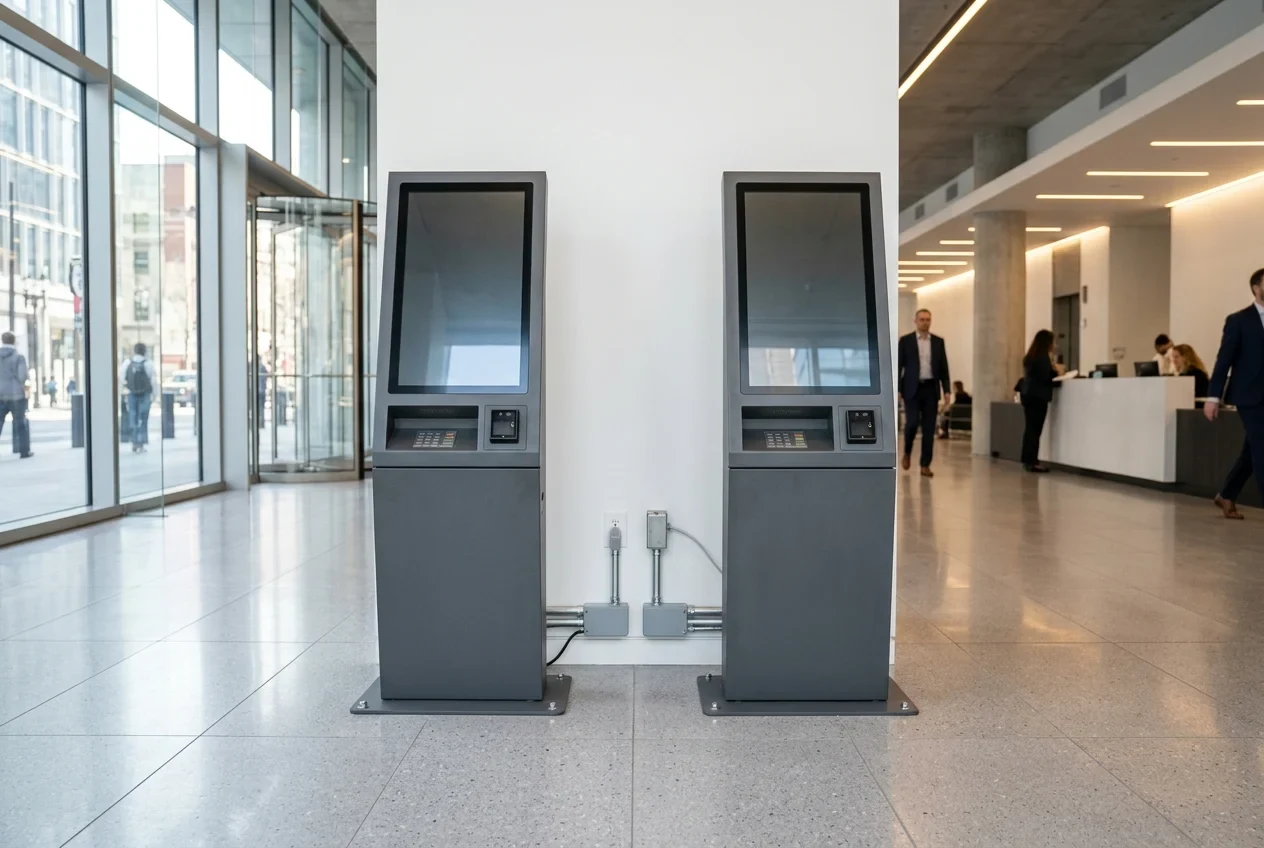
Review site preparation and installation responsibilities — Check delivery path dimensions, open-door service clearance, power drops and site handover responsibilities.
Open the self-service machine payback calculator — Model monthly transaction volume, variable unit costs, fixed site fees and simple recovery periods.
Prepare a custom self-service kiosk hardware and deployment quotation request
Send SelfServiceMachines your target kiosk application, indoor or outdoor venue conditions, screen size, peripheral list, payment terminal model, order volume and destination port.
Request an itemized quotation separating unit hardware, custom enclosure engineering, peripheral mounting bezels, spare component kits and crate dimensions so your team can compare landed self service kiosk price options accurately.
Sources
- Kiosk Industry Association — Kiosk Price and Cost Budgeting Guide
- Kiosk Industry Association — Kiosk Manufacturer Pricing, Non-Recurring Engineering and Cost Drivers Guide
- Kiosk Industry Association — Kiosk Hardware Foundation and Compute Architecture Guide
- Kiosk Industry Association — Custom Kiosk Manufacturers, Sheet Metal and Engineering Schedule Guide
- Kiosk Industry Association — Shenzhen Kiosk Original Equipment and Design Manufacturing Providers Guide
- Kiosk Industry Association — Microcom Thermal Kiosk Printers Catalog Overview
- Kiosk Industry Association — High-Brightness Projected Capacitive Touchscreen Modules Report
- Kiosk Industry Association — Payment Terminal Security and Touchscreen Keypad Rules Guide
- Kiosk Industry Association — Self-Service Transaction Machine Accessibility Rulemaking Overview
- United States Access Board — Americans with Disabilities Act Accessibility Guidelines for Reach Ranges, Protruding Objects and Transaction Machines
- Payment Card Industry Security Council — Validated Payment Devices and Solutions Notice
- Kiosk Marketplace — Kiosk Hardware Budgeting and Peripheral Cost Guide
- Olea Kiosks — Kiosk Total Cost of Ownership and Downtime Recovery Guide
- MetroClick — Commercial Touchscreen Kiosk Hardware and Operating Cost Breakdown
- INFI — Restaurant Self-Ordering Kiosk Price Breakdown and Payback Guide
- Rezku — Restaurant Self-Service Kiosk Pricing and Payment Processing Guide
- TouchWo — Commercial Self-Service Ordering Kiosk Hardware Cost Guide
- SelfServiceMachines — Custom Self-Service Machines, Total Installed Cost, Payment Verification Matrix, Factory Acceptance Test, Site Installation and Payback Calculator Guides